Platform
Built in-house for orthodontists. Not generic. Not stitched together. Designed for the way you actually work.
WaveOrtho AI
WaveyBeta is the AI agent built into WaveOrtho. Ask a question about your practice in plain English. Get the answer as a table, a list, a chart, or an export-ready file. No reports to build. No filters to configure.
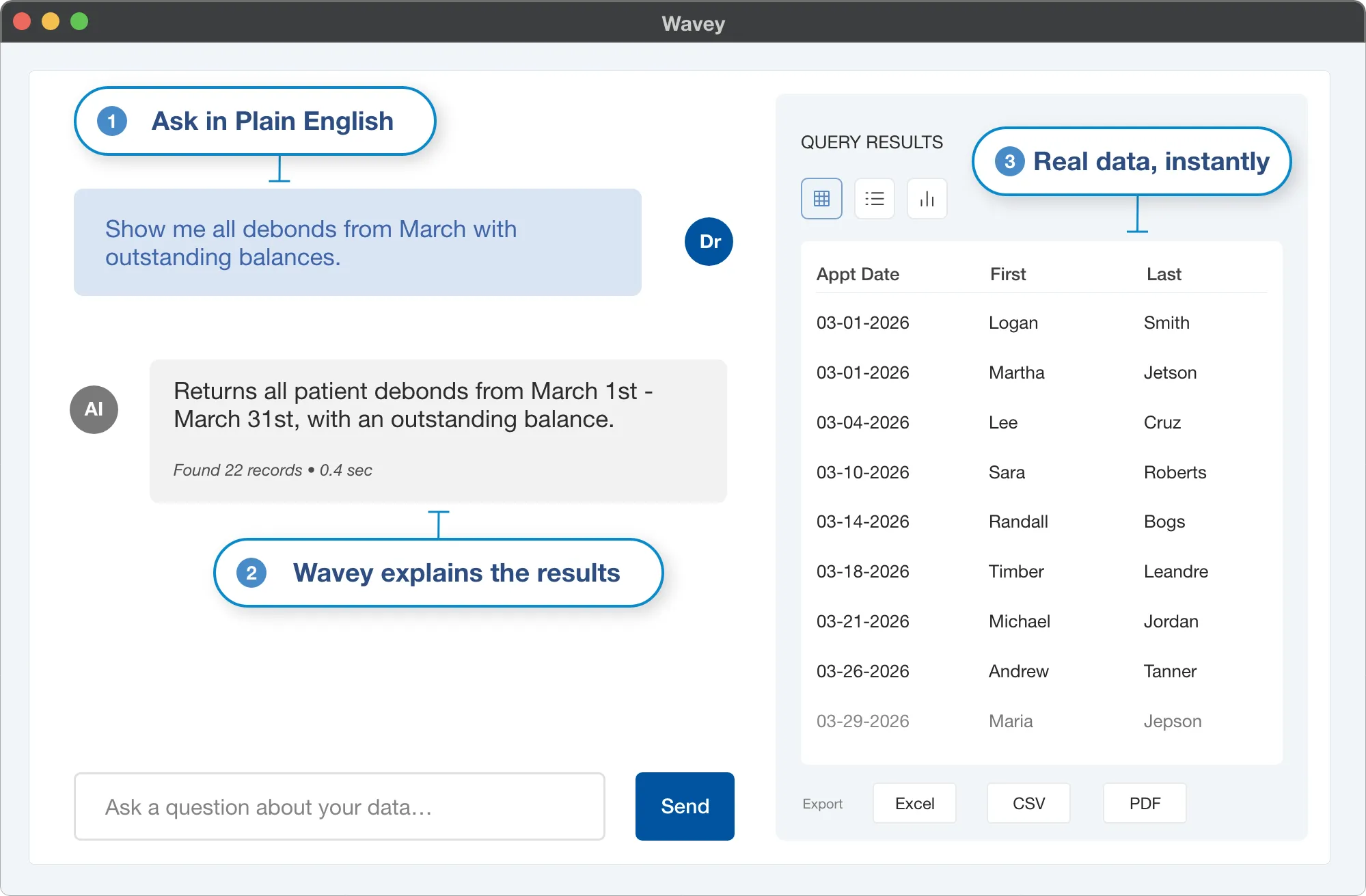
Every doctor, office manager, and admin who's ever needed an answer 'right now' and waited a week for IT to pull a report. Wavey turns 'can someone get me…' into 'here it is.'
We built Wavey natively into the platform, not bolted on. It knows your patients, contracts, appointments, and clinical history because it queries the same database your practice runs on. No exports, no integrations, no third-party tools.
Clinical
The chart that runs the chair.
The most comprehensive orthodontic chart we’ve ever built. Every appliance, every wire, every visit — tracked, standardized, and visualized in one place. So your team charts the same way, every chair, every time.
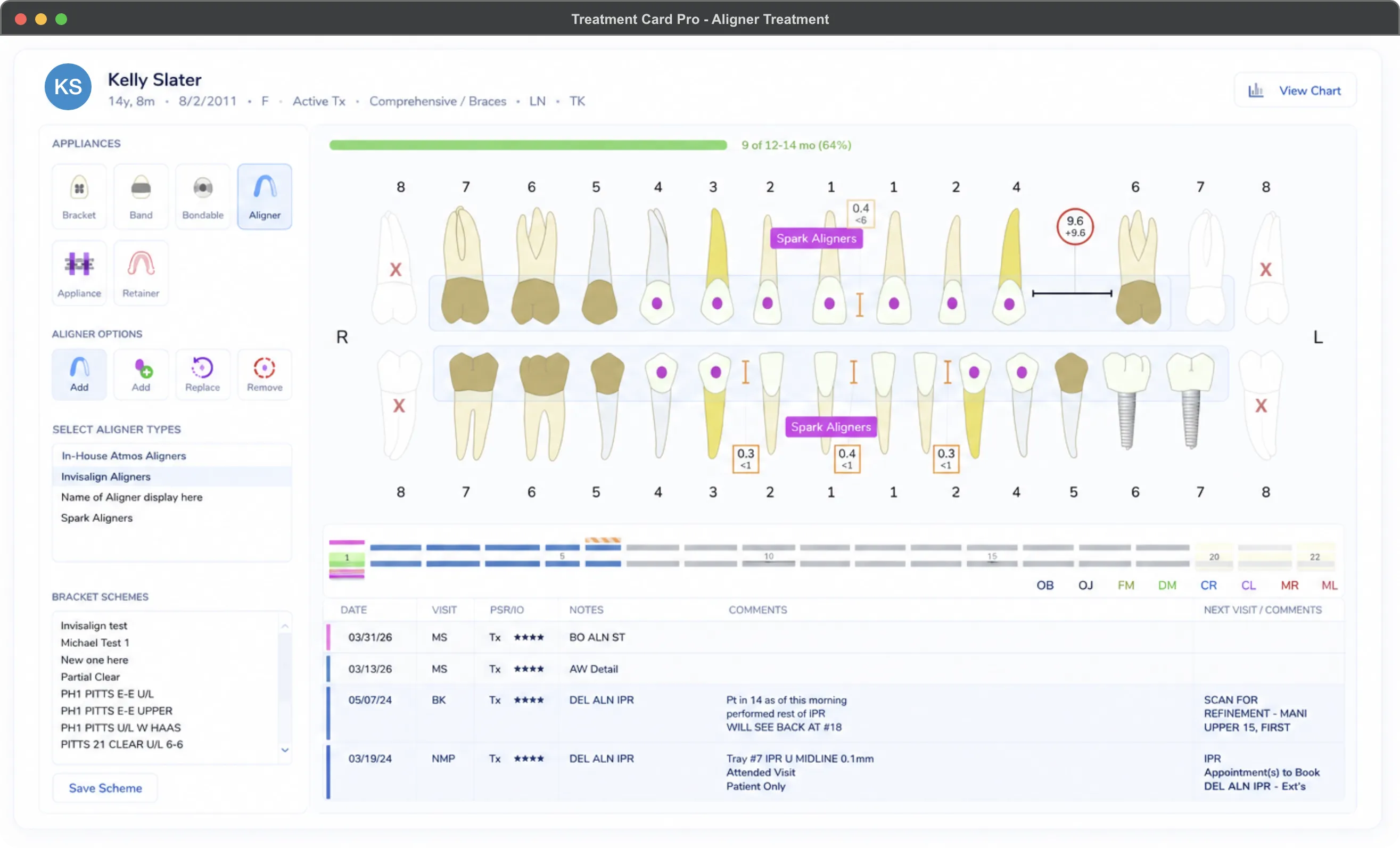
The most comprehensive orthodontic chart on the market. Visual tooth charting, aligner tray tracking, auto-expanding clinical notes, and a per-patient progress score, all in one place. Every appliance, every wire, every visit, captured the same way every time.
Orthodontic practices that want every chair to chart the same way. Especially valuable for OSO and DSO groups standardizing clinical workflow across providers and locations, and for solo practices that want their notes to outlive any single team member’s memory.
Most charts are text-based and force your team to translate notation into a mental model of the mouth. Treatment Card Pro starts with the mouth. The chart IS the picture. Standardized notation, tray-level aligner tracking, and visible progress are first-class features, not workarounds.
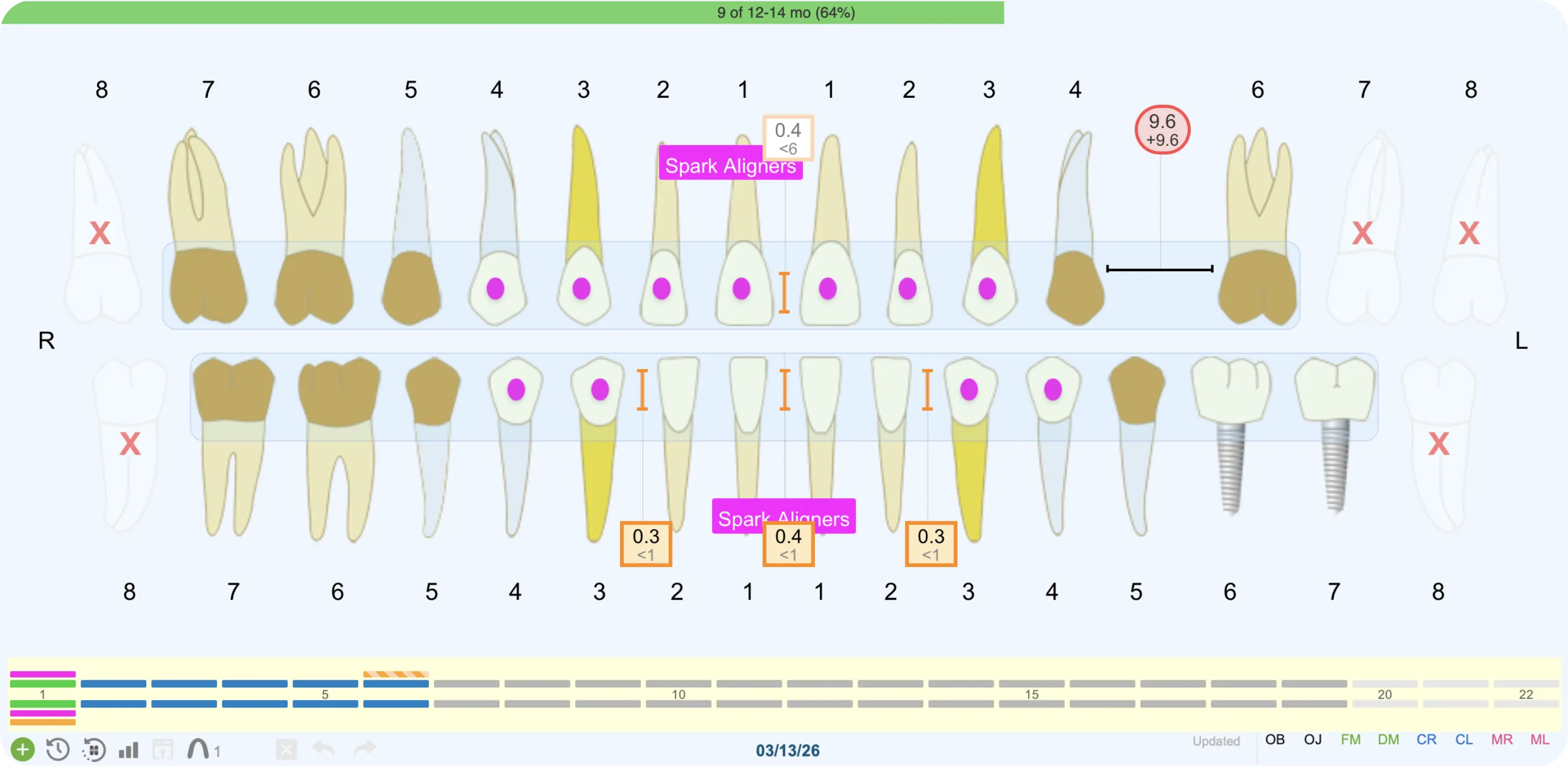
Visual Tooth Chart
Brackets, wires, elastics, attachments, aligners. Rendered exactly as they sit in the mouth, no chart-note archaeology required.
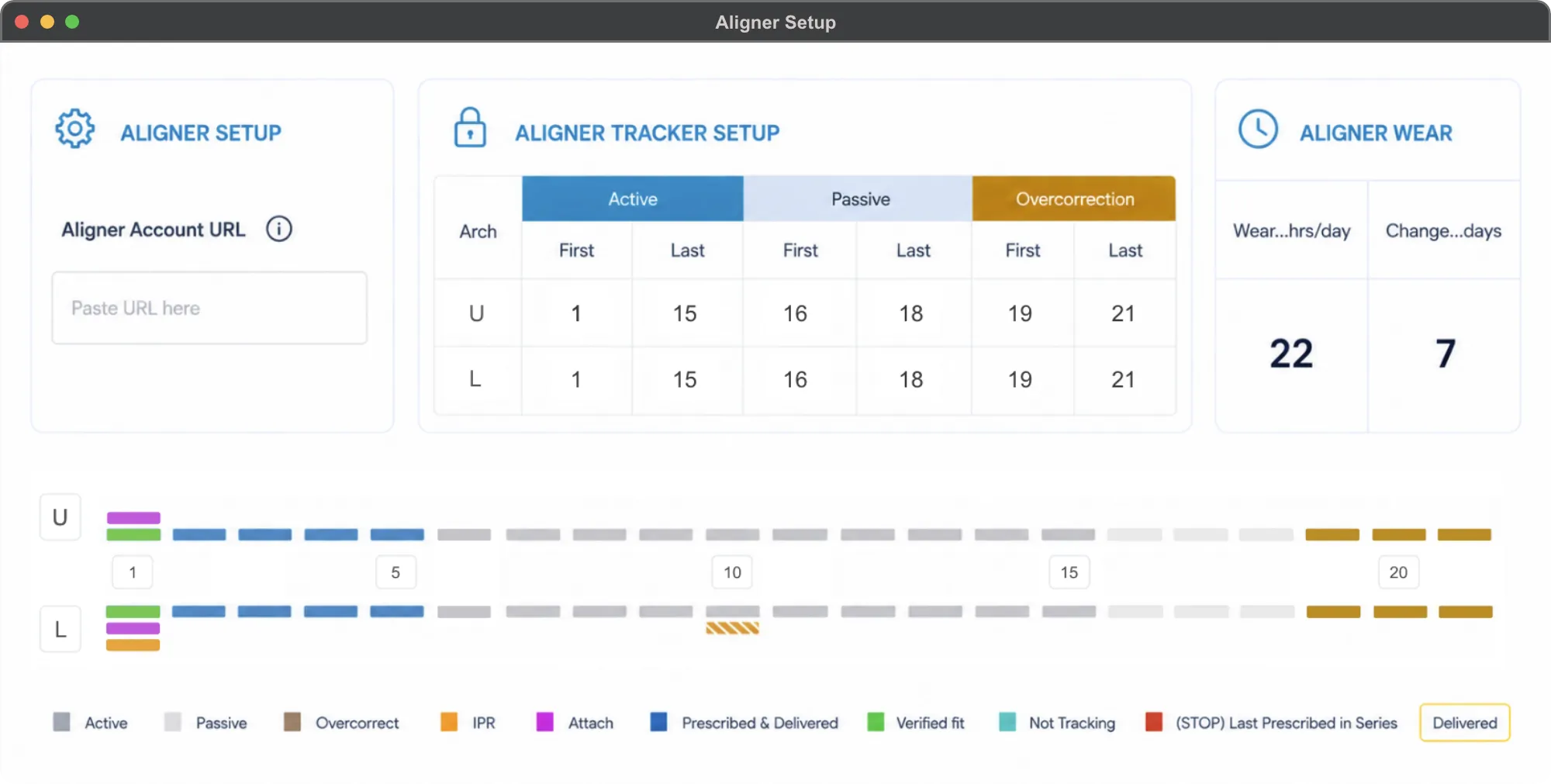
Smart Aligner Tracking
A visual timeline of the entire aligner case. Deliveries, attachments, IPR, and overjet progression. 0.1mm precision built in.
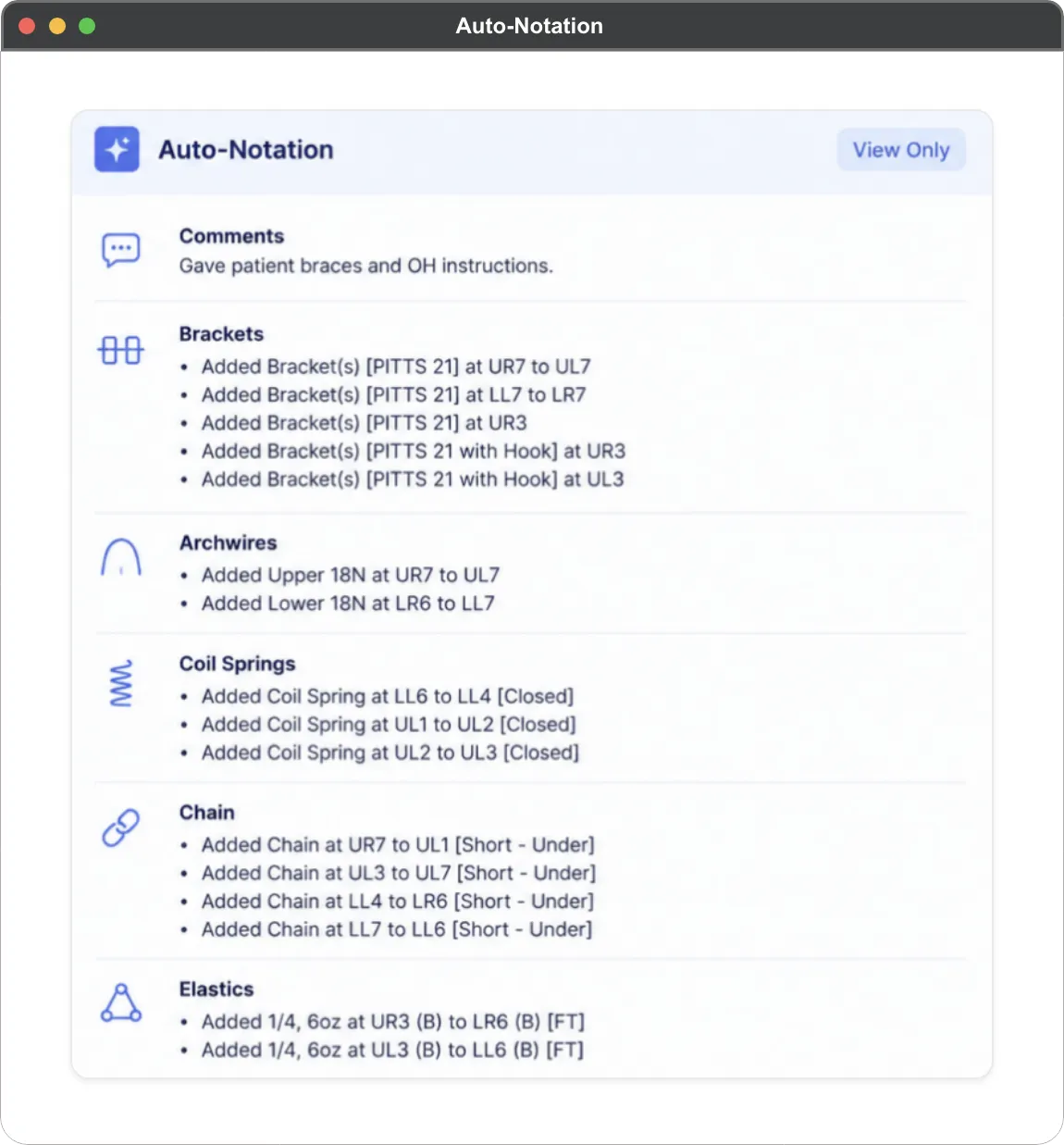
Auto-Notation
Predefined clinical schemes turn a click into a complete chart entry. Standardized across every doctor, every assistant, every chair.
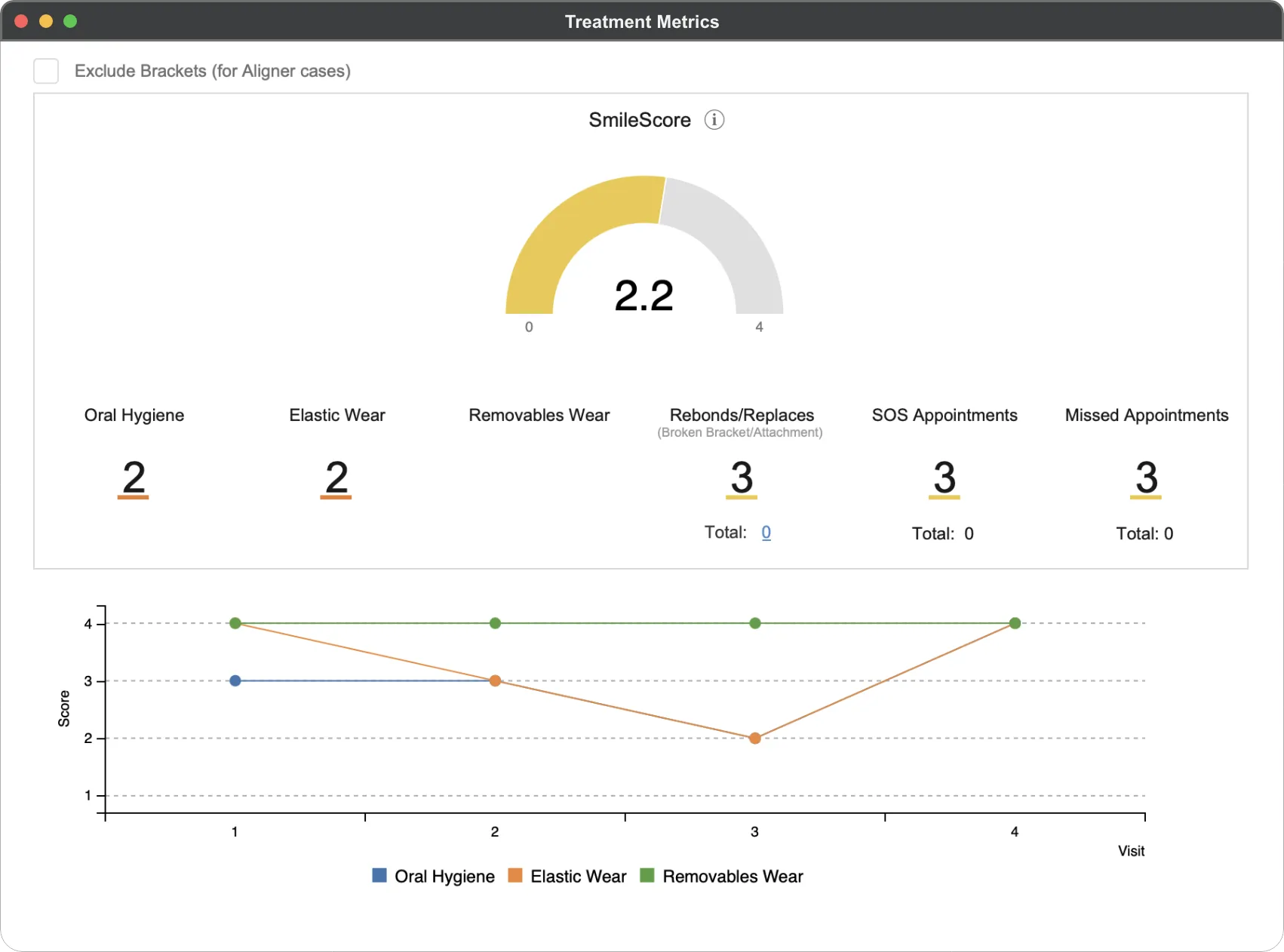
SmileScore
A grading system that scores cooperation across hygiene, elastic wear, appointment attendance, and retainer compliance. Patients and parents see exactly what's helping or hurting their outcome.
Operations
Your whole practice. At a glance.
Every number that matters, in one window. Schedule health, funnel performance, financials, and year-over-year comparisons. No exporting. No spreadsheet stitching. No waiting until Monday.
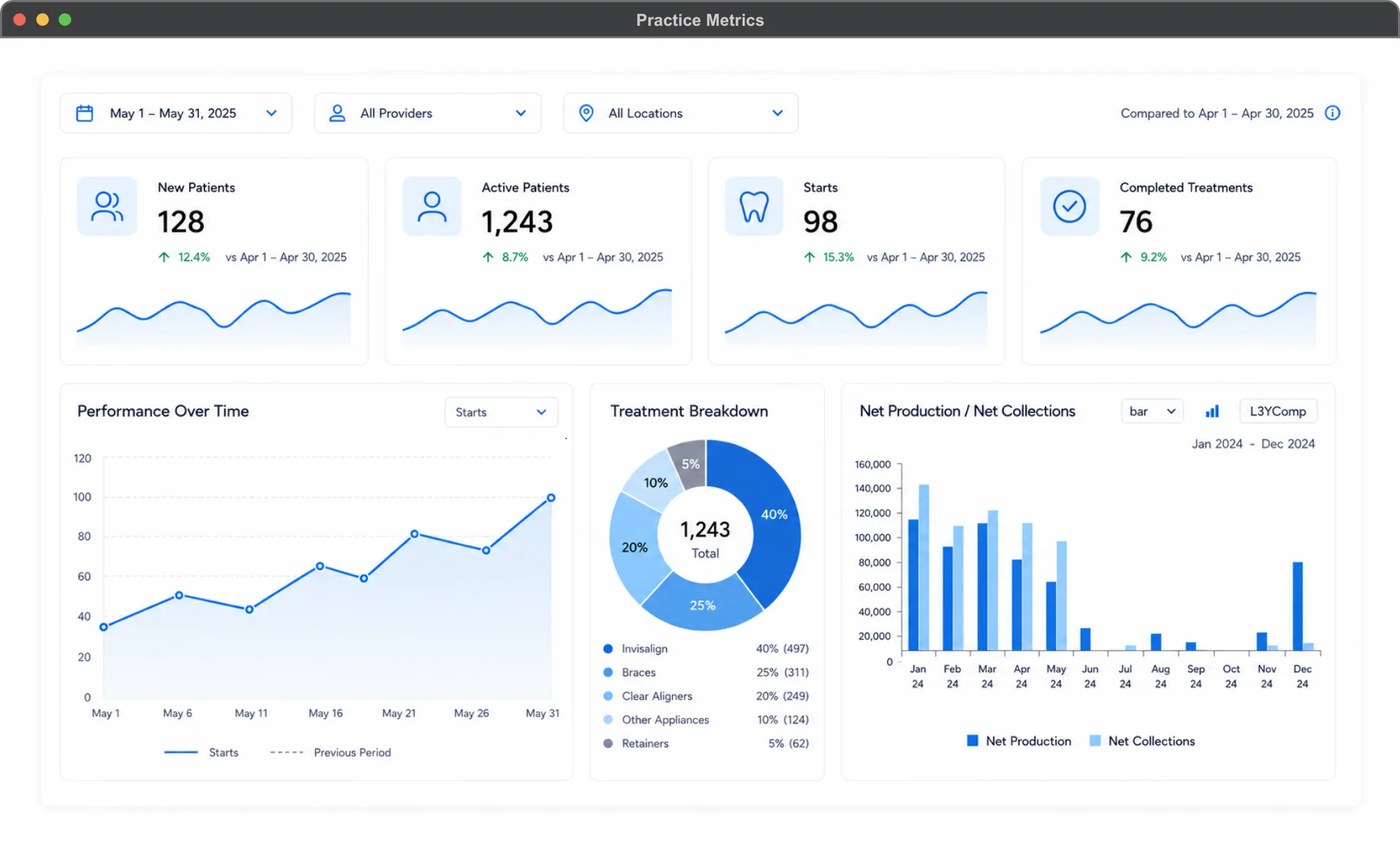
A live operational dashboard for the entire practice. New patients, exams, starts, case acceptance, no-show rate, SOS visits, retention, over-treatment-time, contract amounts, down payments, net production, net collections, A/R, patient and insurance delinquency. Filter by date range, location, and doctor. Compare to last year, to your goals, and across three years of history.
Practice owners who run the business by the numbers, office managers who need answers before the morning huddle, and OSO and DSO operators tracking performance across multiple locations and providers from a single view.
Most PMS dashboards show you what happened. Practice Metrics Dashboard shows you what’s happening, what should be happening, and what happened in the same month for the last three years. Goal tracking, historical comparison, and operational visibility are built into every tile, not bolted on as separate reports.
Growth
Cases close themselves.
The complete new-patient onboarding flow, from exam findings to first appointment booked. Your Treatment Coordinator builds the offer. Your patient picks the plan, signs, pays, and books. From their couch. In their language. On their schedule.
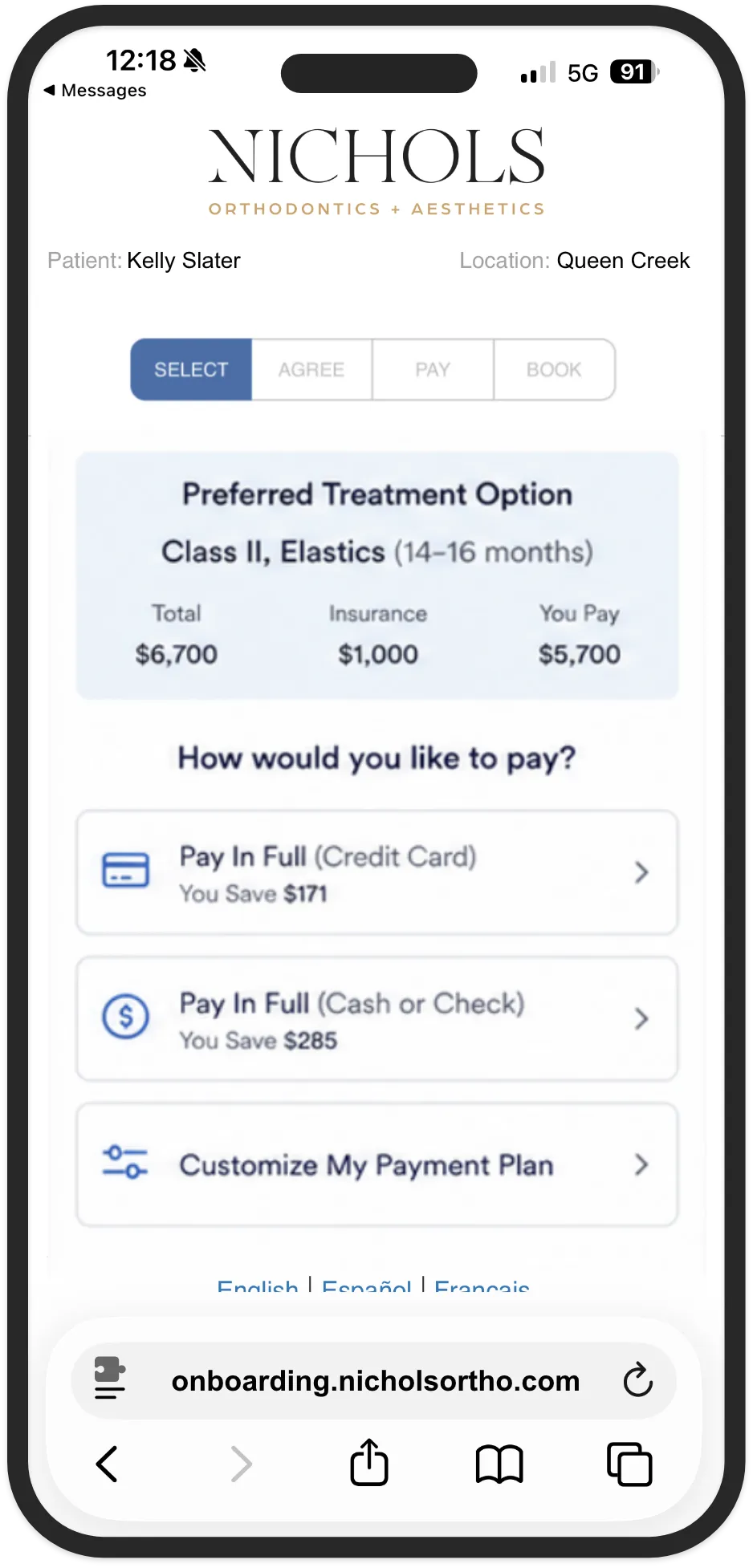
Select
Pick treatment and payment
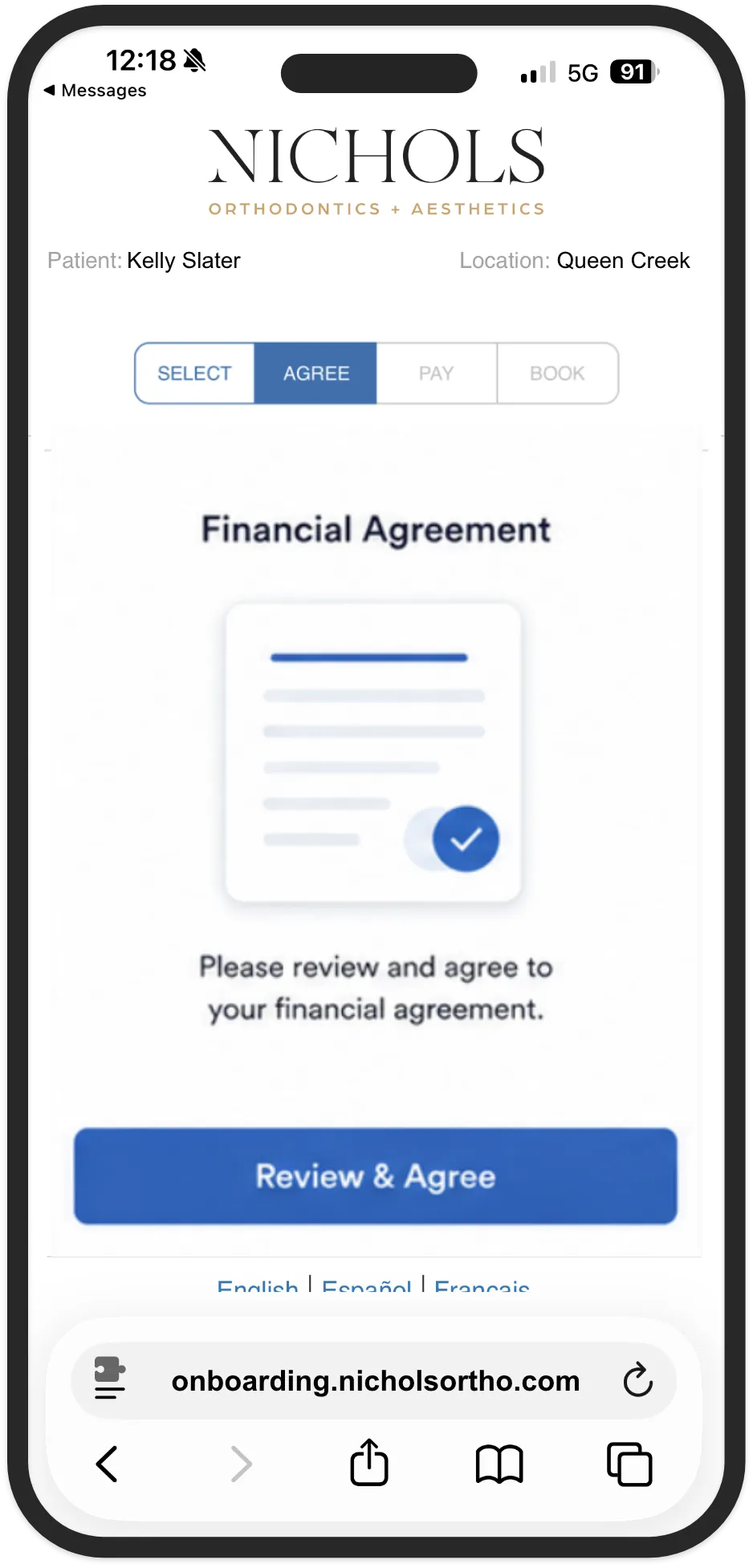
Agree
Review and sign the financial agreement
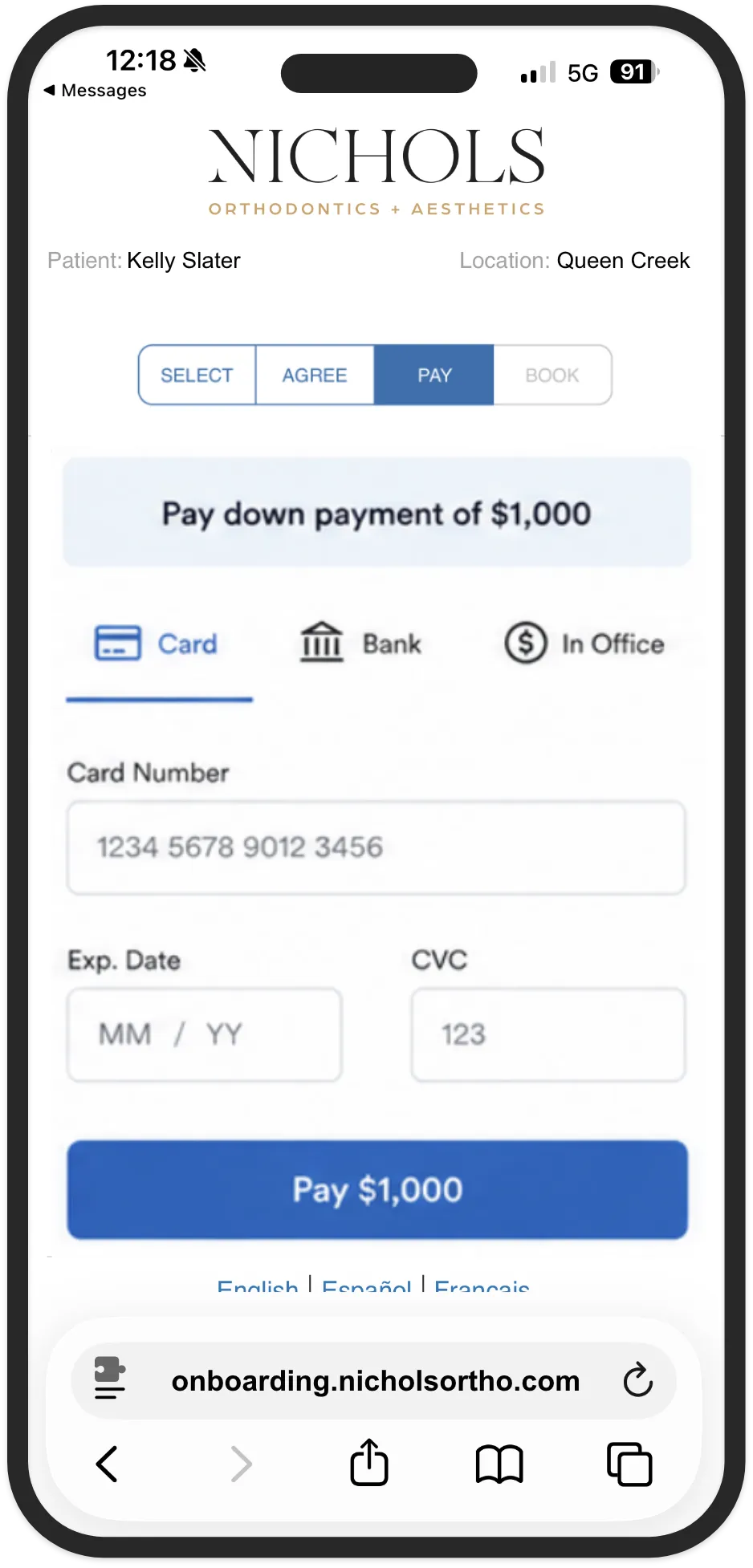
Pay
Submit the down payment
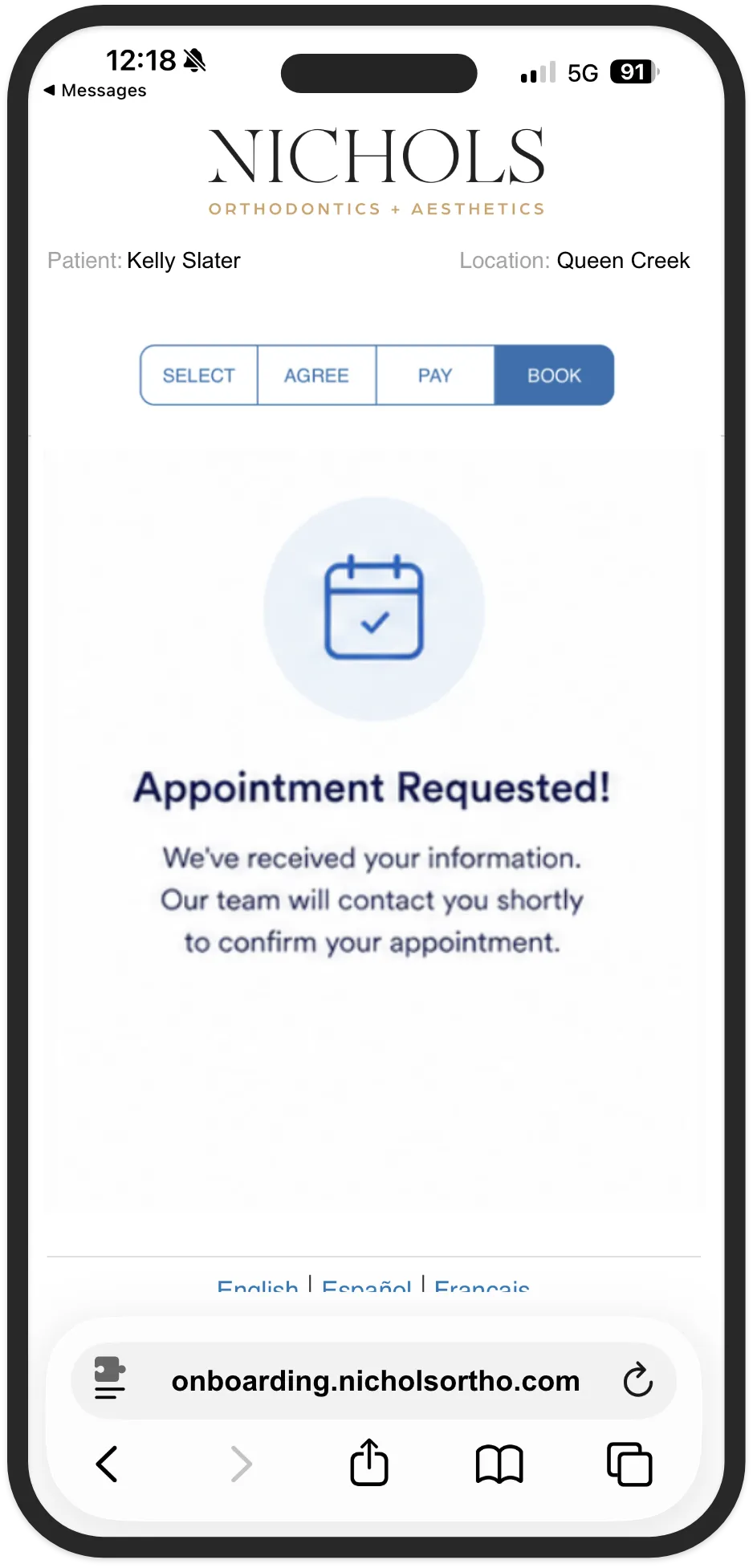
Book
Schedule the first visit
A shareable link that walks new patients through the entire onboarding process: select a treatment option and payment plan, sign the financial agreement, submit the down payment, and book the first appointment. Available on phone, tablet, or desktop. Translated for English, Spanish, and French speakers. Works in the office or at home.
Treatment Coordinators who want a higher close rate without higher pressure, practice owners chasing the 20% revenue lift that comes from tiered membership pricing, and patients who’d rather decide on their own terms than under fluorescent lights.
Most practices send the patient home with a paper estimate and hope they call back. Case Closer Pro sends them home with a working link. The TC builds the offer in WaveOrtho. The patient closes it themselves. No portals to log into, no forms to scan and email, no follow-up calls to chase. Just a link, and a yes.
Growth
Set it. Forget it. Watch your practice grow.
A fully automated marketing engine built for orthodontic practices. Triggered campaigns for pending starts, observation patients, completed treatment, birthdays, referrals, reviews, and more. Emails, texts, letters, gifts, and staff tasks fire on their own. No reminders. No checklists. No 'did anyone follow up with that family?'
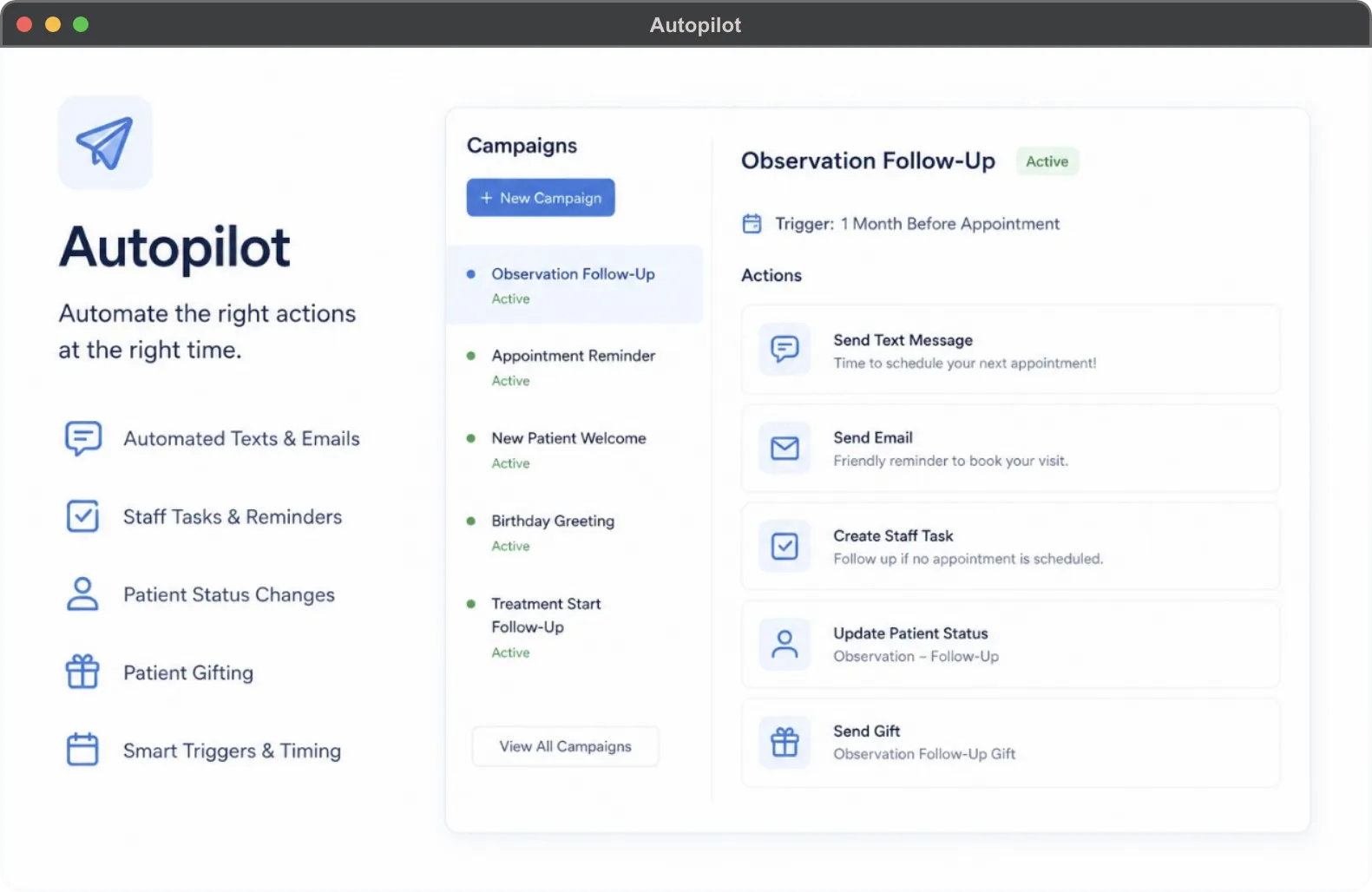
A complete event-triggered automation engine for the practice. Build campaigns around new patients, pending starts, long-term follow-up, treatment starts, observation, debond, and completed treatment. Trigger on appointment type, birthday, lead added, referral, review, status change, survey response, or any custom event. Each campaign step can send an email, text, letter, status change, staff task, or physical gift. Pause, edit, or override any campaign from the Campaign Manager.
Practice owners tired of asking 'did we follow up?', office managers who don’t want to chase staff to send birthday cards, and OSO and DSO operators who need consistent patient communication across every location without hiring more marketing coordinators. 47 pre-built campaigns. Fully customizable. Or build your own from scratch.
WaveOrtho is the only orthodontic PMS with a fully automated campaign system built specifically for the business of orthodontics. Most practices stitch together a third-party CRM, an email tool, a gifting service, and a spreadsheet to do what Autopilot does in one place. We didn’t integrate. We built it. Designed to grow your revenue, with zero handoffs and zero human effort.
Patient experience
Patients serve themselves. Your team serves the chair.
A patient portal that actually does the work. Make payments. View account details. Reschedule appointments. Update health history. Switch between family members in one click. All from a phone, tablet, or desktop. In English, Spanish, or French.
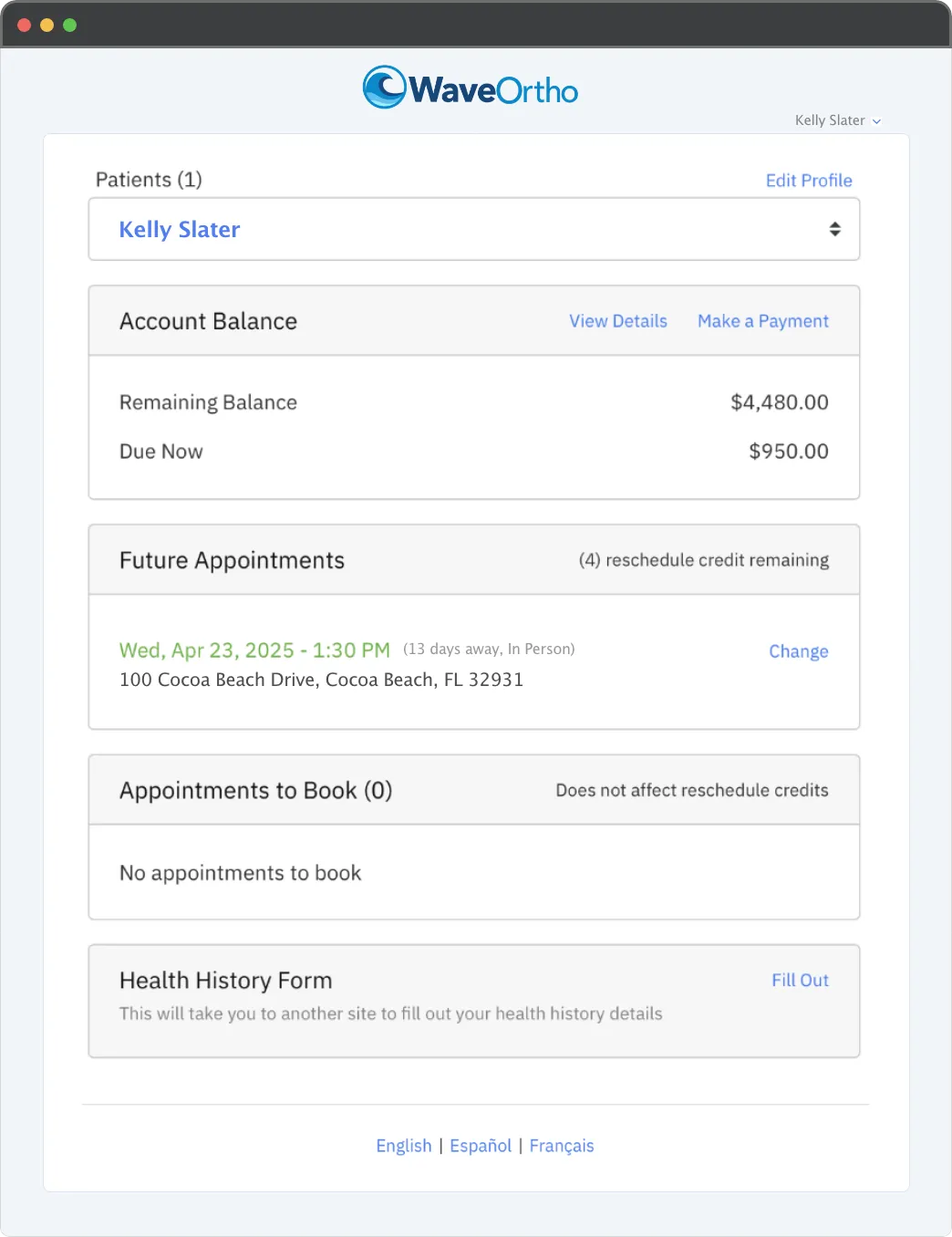
Overview
Account balance, future appointments, reschedule credits, appointments to book, and the health history form, all in one place. Multi-patient family support built in. Switch between family members with one click.
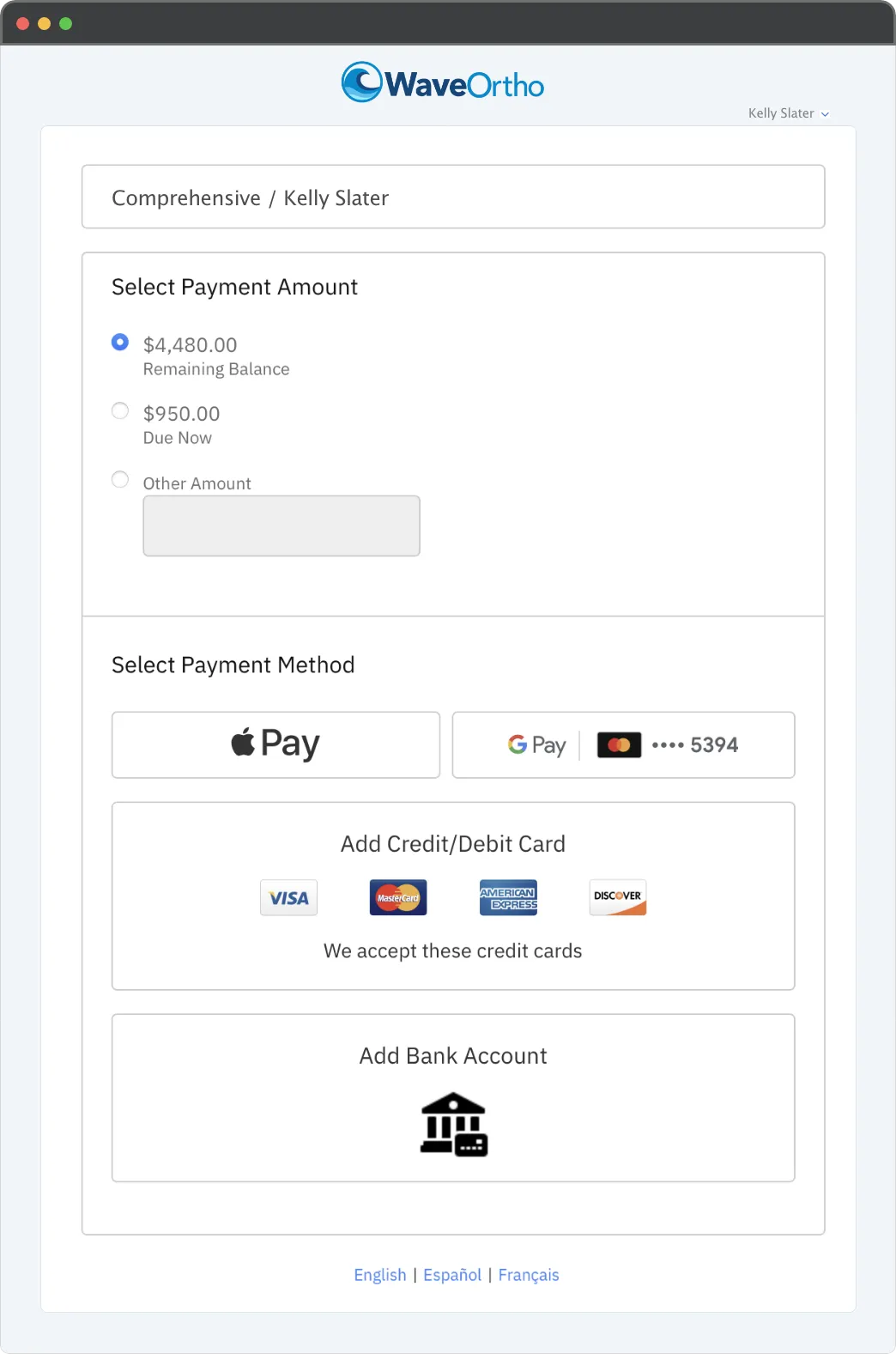
Pay any balance
Apple Pay, Google Pay, credit card, debit card, or bank account. Pay the remaining balance, the amount due now, or any custom amount. Updated payment methods sync to staff in real time.
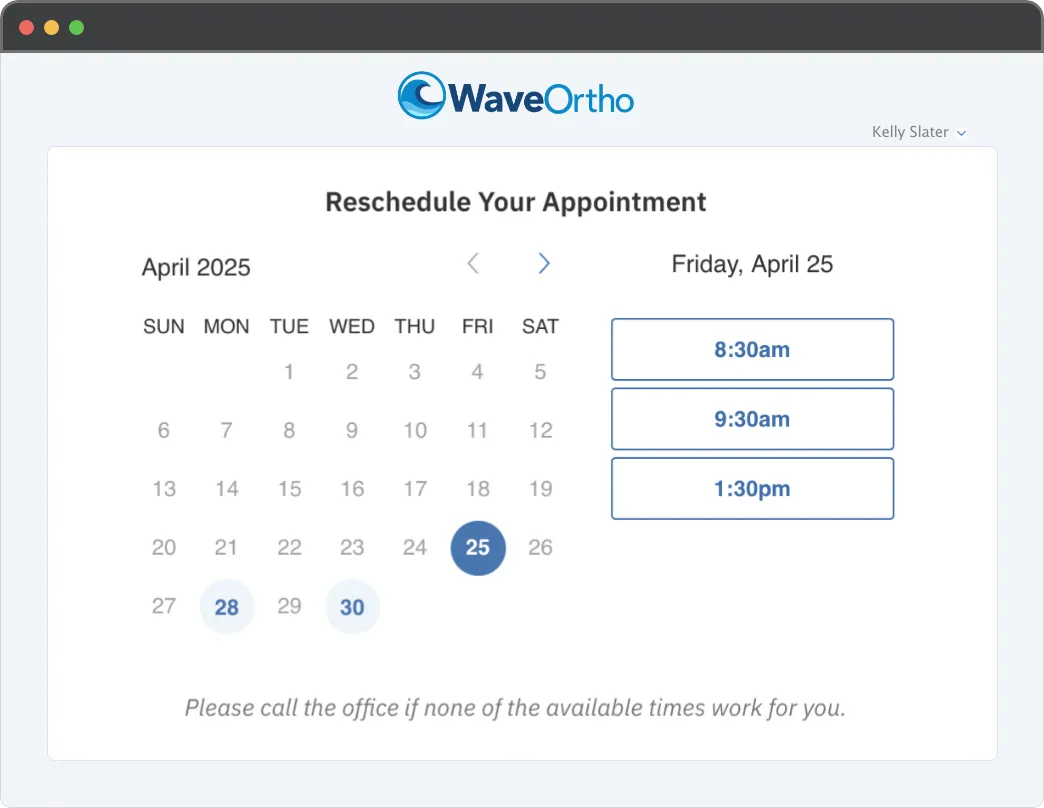
Reschedule
Patients pick from your available days and times. The reschedule credit system caps how many changes each patient can make, so your schedule stays intact. A 'please call the office' escape hatch handles the edge cases.
A self-service portal accessed from your practice website. Patients make payments with Apple Pay, Google Pay, credit card, or bank account. View and print account details and HSA forms. Reschedule, cancel, or self-schedule appointments. Update credit cards in real time. Update health history. Update mailing address (changes propagate to every family member instantly). Switch between patients in the same family with one click.
Front-desk teams drowning in payment calls and reschedule requests, practice owners trying to lower call volume without lowering service quality, and patients who’d rather handle their own appointments at 9pm than play phone tag during business hours.
Most patient portals let people reschedule freely until your schedule is chaos. Patient Harbor introduces a reschedule credit system: you decide how many times each patient can reschedule, and the portal enforces it. Less abuse, fewer empty chairs, better operations. Built natively into WaveOrtho, not a third-party portal stitched on top. Your data, your rules, your chair time protected.
Growth
From your website, straight to the chair. New patients pick a consultation date and time directly from your website. The appointment lands in WaveOrtho the instant they hit submit. No calls. No forms. No vendor portal between you and the lead.
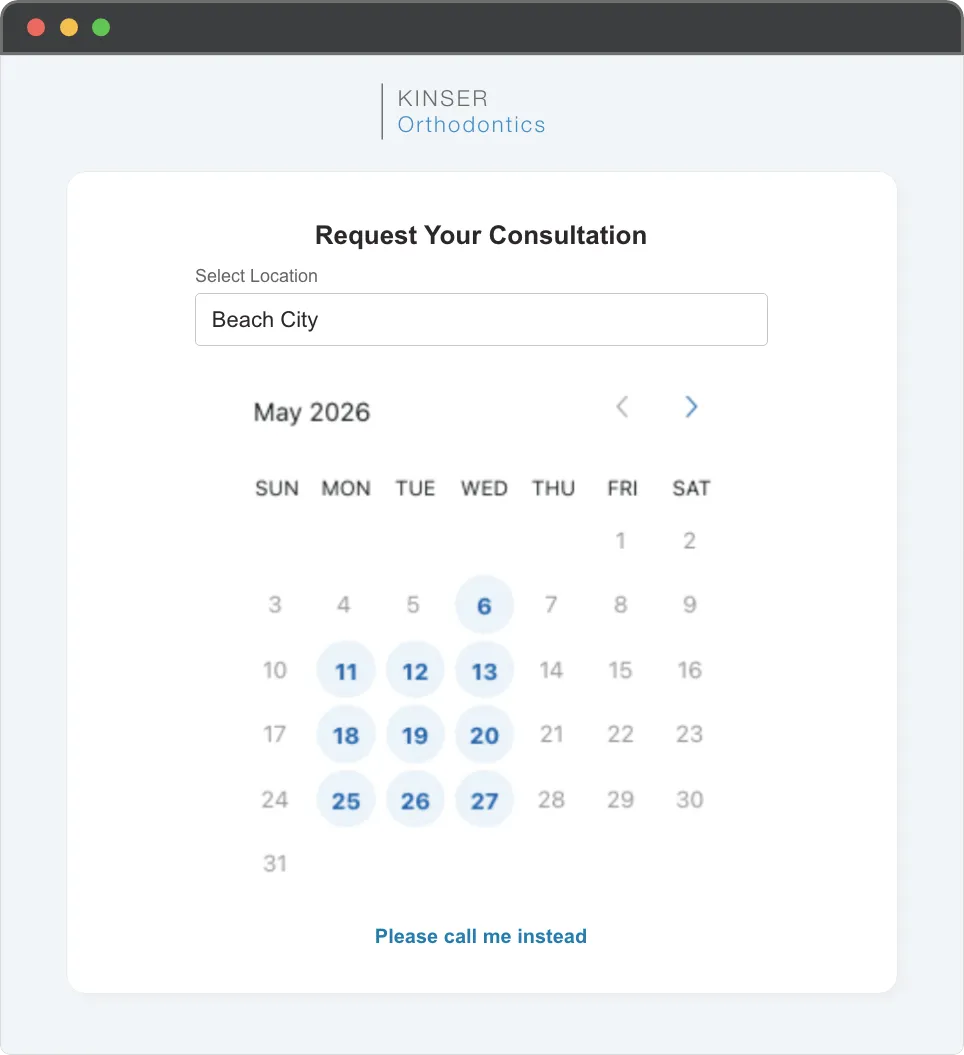
Practices losing leads to phone tag, marketing teams measuring website-to-consult conversion, and front desks tired of being the bottleneck between a curious parent at 9pm and a Tuesday-at-3 appointment slot.
Most online schedulers are third-party tools bolted onto your website. They collect the booking, then sync it back to your PMS overnight, hourly, or whenever the integration decides to behave. Website Exam Scheduler is built natively into WaveOrtho. The appointment is created in your PMS the instant the patient submits, not after a sync. No middleman. No lag. No lost leads.
Operations
Throw away the paper tracking sheet.
Track every lab case from submitted to seated. Aligners, retainers, models, appliances — in-house or outside, all in one window. Color-coded status, due dates that don’t slip, and STL file management built in. So nothing waits, nothing gets lost, and nothing shows up at the chair half-finished.
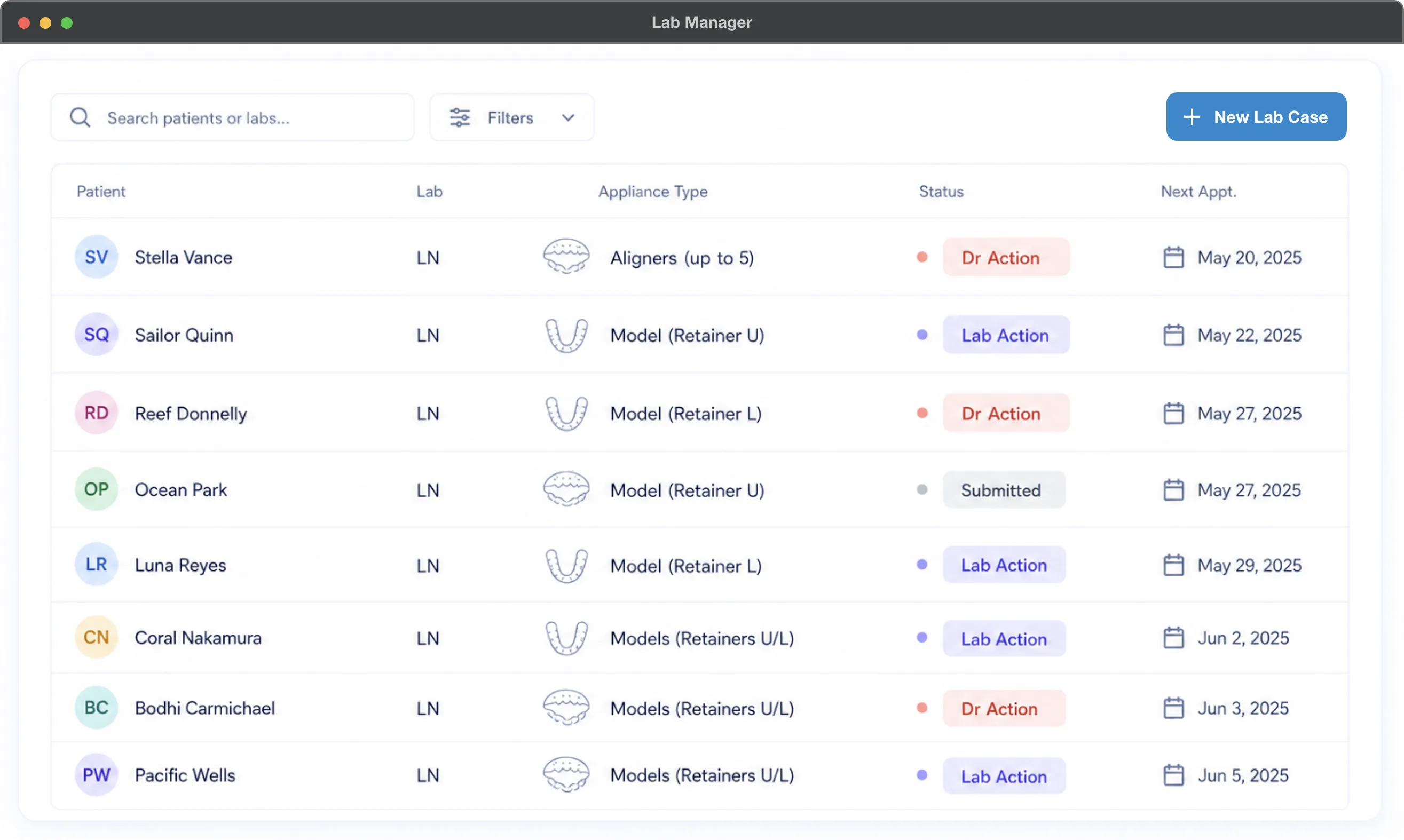
A complete lab workflow built into the patient chart. Track every aligner series, retainer, model, and appliance from submission through delivery. Five-stage date tracking (Submitted, Due, Completed, Delivered, Aligners End). Color-coded status (Submitted, Lab Action, Dr Action, Received) so any team member can scan the queue and know who owns what. Native STL file upload for digital labs. Filter by patient, lab, status, appliance type, or location. Works for in-house and outside labs in the same workflow.
Practices manufacturing their own aligners and retainers in-house, who need to manage the lab as a real department, not a paper clipboard. Practices using outside labs who are tired of 'I thought you sent it' conversations. And multi-location groups tracking dozens or hundreds of active cases across every chair, every doctor, every appliance type.
In-house aligner and retainer fabrication is the fastest-growing capability in modern orthodontics. Most PMSs were built before that shift and treat lab work as an afterthought — a notes field, a paper sheet, or a third-party tool. Lab Manager treats your in-house lab like the production line it actually is. STL files, status workflows, due dates, and patient charts all in one place. So when a tray goes missing, you don’t lose a chair. You find the case in three clicks.